


Moquin Smart Key Lock Box: A Comprehensive Review
In today’s fast-paced world, convenience and security are paramount. The Moquin Smart Key Lock Box aims to cater to these needs, offering a flexible and innovative solution for anyone needing reliable access — whether for Airbnb rentals, realtors, or even personal use. This review will break down the features, quality, and user experience with the Moquin Smart Key Lock Box.
Features Overview
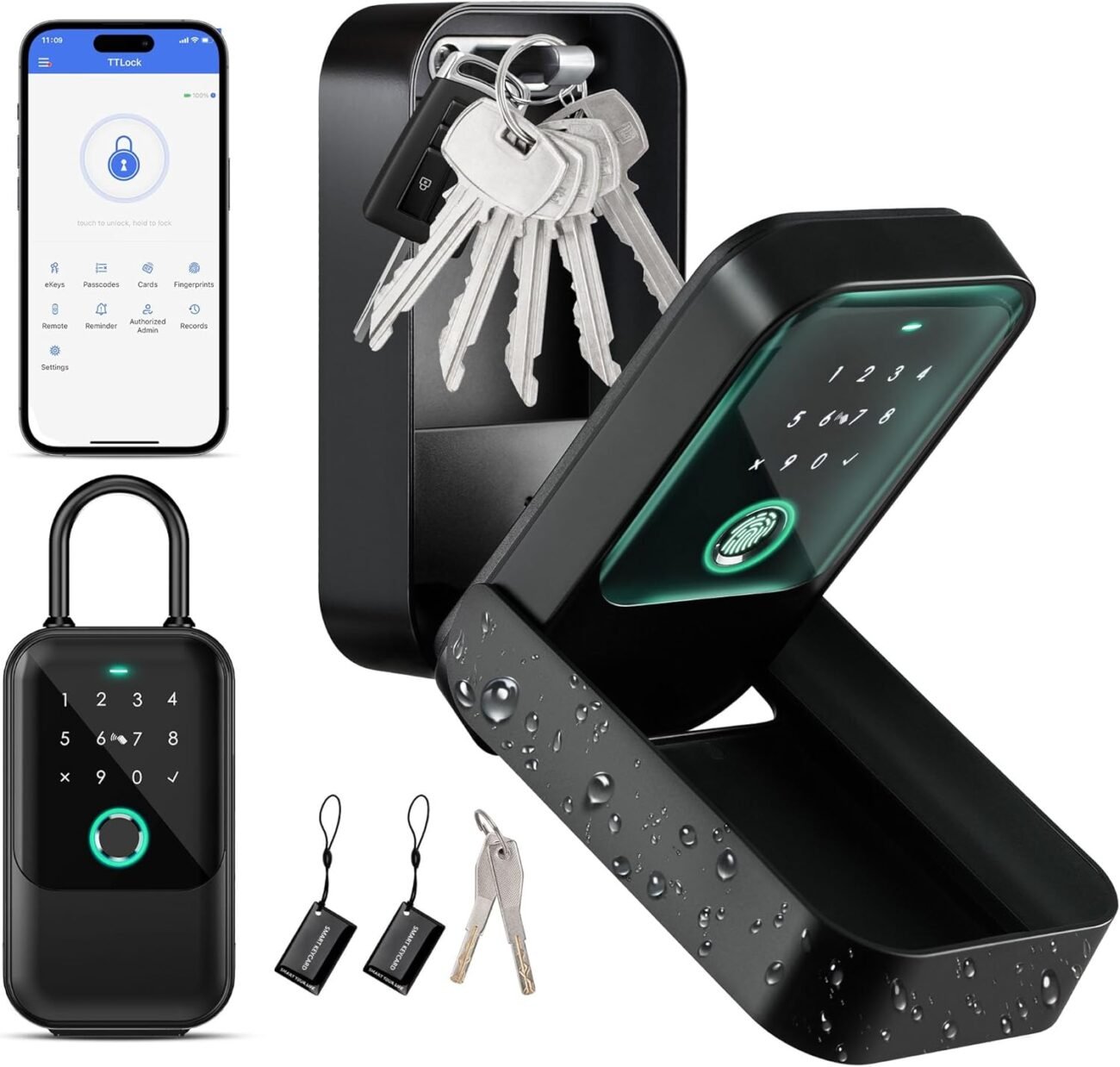
The Moquin Smart Key Lock Box packs a variety of features designed to accommodate diverse unlocking methods. Here’s a closer look at what it offers:
-
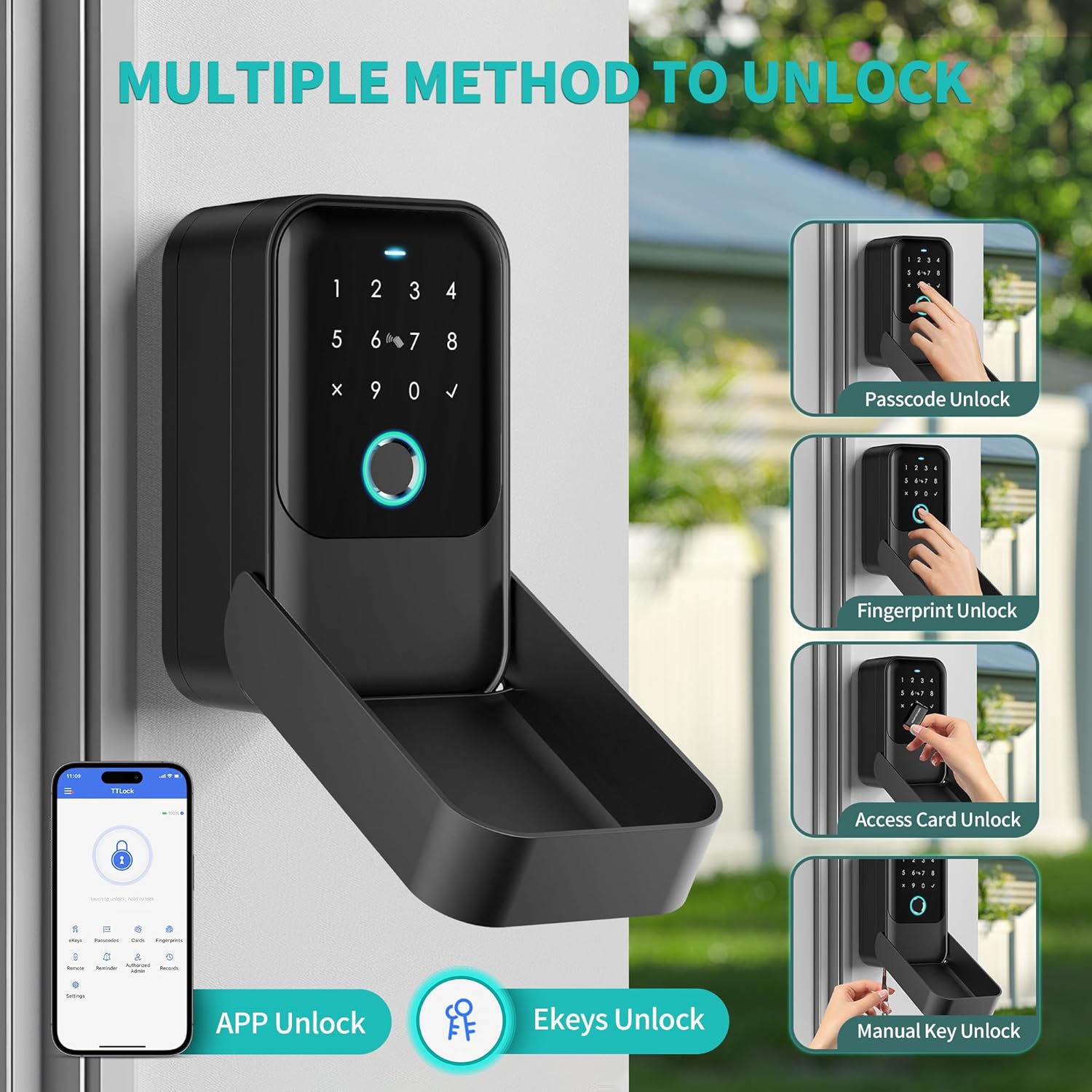
Multiple Unlocking Options:
The lock box allows for multiple ways to unlock, making it versatile for any situation. Users can choose from fingerprint recognition, manual keys, access cards, e-keys, and passcodes. This flexibility ensures that you’ll have access to your keys or vital items even if you forget one method. -
Remote Access Capability:
For those who often travel or manage properties remotely, the inclusion of remote access is a game-changer. However, it requires an additional G2 gateway for full functionality. With this setup, users can unlock the box via their mobile phone from anywhere, making it extremely beneficial for property managers or individuals who frequently welcome guests. -
Durability and Weather Resistance:
Constructed from premium zinc alloy, the Moquin Smart Key Lock Box is built to withstand a range of environmental conditions. With an IP65 certification, it is weather-resistant and can function effectively in temperatures ranging from -20°C to 55°C. This feature is vital for outdoor installations where exposure to the elements is inevitable. -
Emergency Access:
With the understanding that emergencies can arise, the lock box provides dual security options for emergency unlocking. Users can temporarily power the device through a USB-C port or use a manual key to gain access. This reliability ensures that you’ll never be locked out in critical situations. - Easy Installation:
The lock box offers flexible installation methods that can adapt to varying locations. Whether you opt to mount it on a wall, hang it on a door handle, or install it on a fence or a steel door, the installation process is straightforward. This kind of versatility is a big plus for users who need to find the perfect spot for their lock box quickly.
User Experience
While the features are impressive on paper, the user experience is where these locks really shine or falter. Here’s a breakdown based on expected interactions:
Initial Setup:
Setting up the Moquin Smart Key Lock Box is generally user-friendly. The instructions are clear, though users may initially find it a bit daunting if they aren’t tech-savvy. Pairing the lock with the TTLock app can present challenges for some, particularly those who might not be familiar with app installations or Bluetooth connectivity. However, once set up, the app’s interface is generally intuitive, allowing users to manage access without hassle.
Functionality:
In daily use, the various unlocking methods prove to be as functional as advertised. The fingerprint sensor is particularly effective and quick, making it a go-to unlocking method for many users. The passcode option also works well, providing another layer of security. Users have found that they appreciate the ability to grant temporary e-key access to guests, making it easier to manage short-term rentals.
Reliability:
The lock box’s durability has received positive reviews, with most users finding it resilient against the elements. The weather-resistant design means that those who install it outdoors won’t have to worry much about rain or snow causing issues. The performance in extreme temperatures needs to be monitored to ensure it operates as expected, but initial feedback suggests it holds up well.
Support and Customer Service:
Although the lock box itself is reliable, users may encounter challenges requiring customer support. It appears that feedback on customer service response times has been mixed. Some users found help quickly, while others reported delays. This variance suggests that while the product is solid, the support experience could be more consistent.
Conclusion
The Moquin Smart Key Lock Box presents a compelling solution for anyone looking for a secure and versatile method for key storage. Its multiple unlocking methods, remote access capability, and solid construction make it suitable for a range of applications, from short-term rentals to personal security solutions.
While initial setup might involve a learning curve, ongoing usage tends to be straightforward. Backup options for emergencies enhance user confidence, and its weather-resistant nature ensures long-term durability.
However, potential buyers should consider the additional purchase of the G2 gateway for full remote access functionality and keep in mind the variable customer support experience. Overall, the Moquin Smart Key Lock Box is a worthy investment for those needing a reliable lock box that seamlessly integrates into an active lifestyle.
